



The software for activity sampling
It is time for the perfect activity sampling
During the further development of REFA-Time Tools®, the innovative software REFA Multi was developed. This provides another rational data capturing software from REFA®.
This software enables you to get a real picture of the utilization of people and machines as well as to identify waste.
With the results of the activity sampling, you can then make the right decisions to improve your work processes.
Coaching services:
For intensive, individualized coaching services, please contact us.
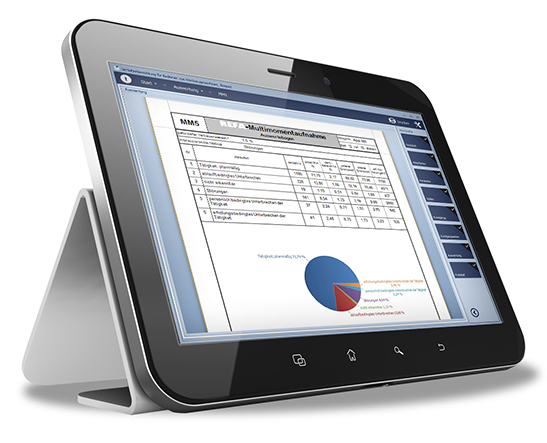
REFA Multi
660 € (plus VAT)
valid for one REFA Multi® software license for installation on up to 4 devices
Why Activity sampling?
This tool can be used in all manufacturing and service areas to obtain the following data:
- Utilisation of work systems in one period
- -Occurrences of disruptions and waste
- Proportion of tasks
- Determination of allowance time surcharges
The advantage of Activity Sampling is that it requires careful preparation but comparatively little effort since the observer is not permanently time bound.
Using this method, the following factors can be determined in advance:
- Statement accuracy
- Number of notations needed
- Duration
- Effort needed for execution
What does the software offer?
It is structured into the modules planning, implementation and evaluation.
Planning
- Reproducible description of the work systems according to REFA Standard
- Work task
- Human/operating means
- Process types with subcategories
- Determination of jobs and job groups
- Planning of a factory tour (freely definable)
- Parameters for statistical requirements
- Duration of the activity sampling
- Tour duration
- Number of rounds per shift
- Shift and break times
Implementation
Planning, Capturing, Evaluation
Evaluation
- Plan of factory tour (print document)
- Standard documentation according to REFA
- Result sheet
- Description of work system
- Catalogue of process types
- Evaluation sheet 1 - overall evaluation
- Evaluation sheet 2 - for the examined process type
- Pivot evaluation according to
- Process types - categories
- Process types - designation
- Jobs and job groups
Technical Details
System setting
- Display mode (tablet or desktop)
- Layout (Skin)
- User administration
- License information
- Options
- Check for update
- Switch for manual entry
Study administration
- Create new studies
- Copy study framework (without data)
- Copy complete study (with data)
- Import/export studies
- Delete studies
Print function allows printing and exporting in the following formats
- Excel
- HTML
- MHT
- RTF
- Media data (JPG, GIF, BMP, PNG, TIF, EMF, WMF)
Minimum system requirements
Minimum system requirement
- Operating system: Microsoft Windows 7 or higher
- Processor: Intel Atom x7-Z8700 processor
- RAM: 2 GB
- Free hard disk space: min 100 MB
- Network: Internet connection for product activation and software update
Recommended system requirements
- Operating system: Microsoft Windows 7 or higher
- Processor: Intel Core i3 processor or better (x86/x64 architecture)
- Memory: 4 GB or more
- Free hard disk space: > 1 GB (for multimedia files)
- Network: Internet connection for product activation and software update
- Audio/Video: Camera and microphone for multimedia features


